Public Author Profile
When you publish commands to the Rephlo gallery, you build a reputation as an author. Your public author profile is the shareable page that showcases who you are and everything you've published. It lives at a clean, friendly URL:
https://rephlo.app/author/your-username
Turning your public profile on
Your public profile is off by default. To enable it, go to Account Settings and turn on the Public Profile toggle in the Profile section. While it's off, anyone visiting your profile URL sees a friendly "Author not found / set to private" message — your page simply doesn't exist publicly until you opt in.
While you're in Account Settings, you can also set your username, avatar, and bio, which all appear on this page.
What visitors see
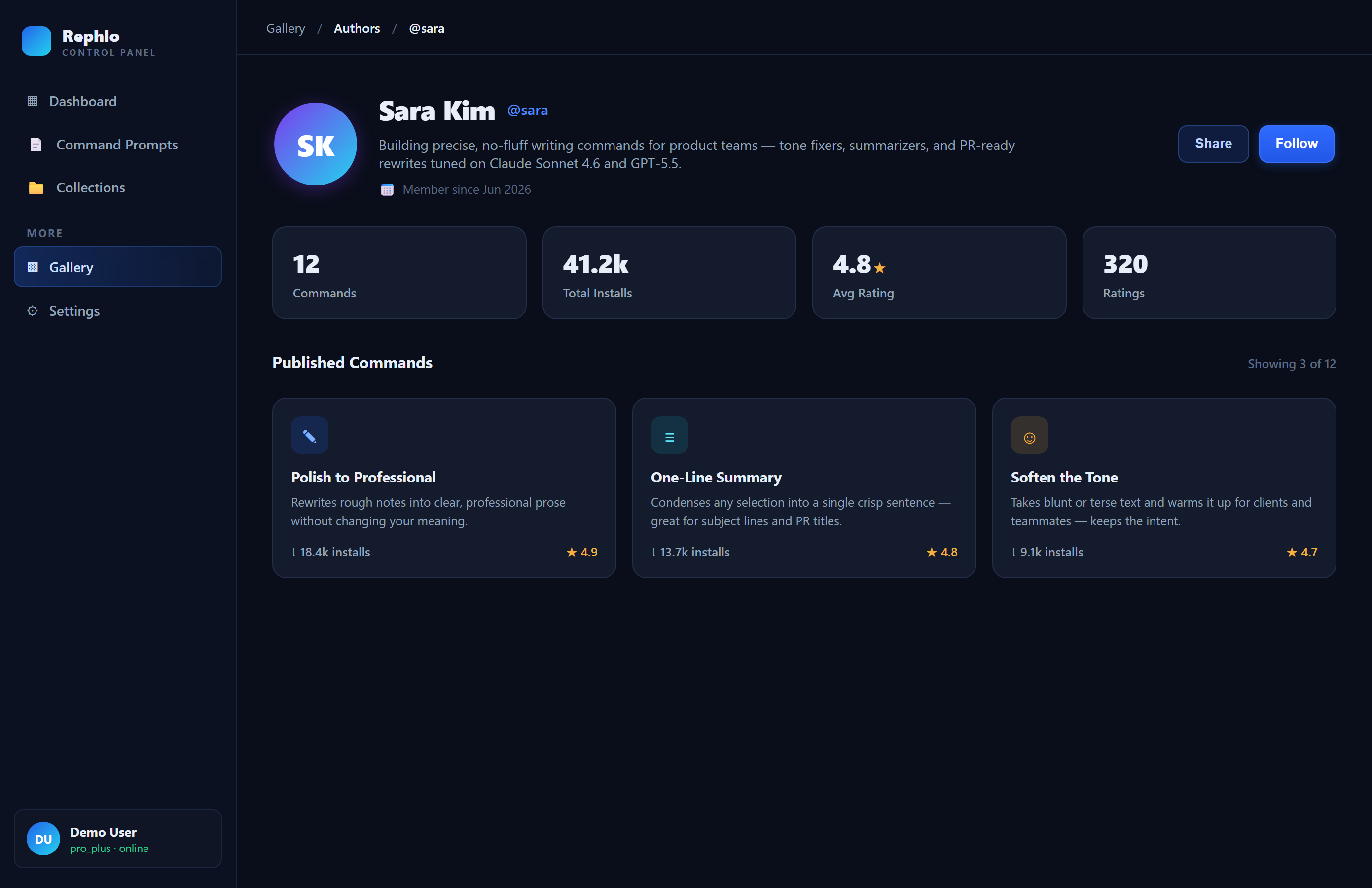
Profile header
- Your avatar (or your initials if you haven't set one).
- Your display name and @username.
- Your bio.
- The date you joined ("Member since …").
- A Share button that copies your profile link to the clipboard.
Reputation stats
A row of stat cards summarizes your impact as an author:
| Stat | What it means |
|---|---|
| Commands | How many commands you've published |
| Total Installs | Combined installs across all your commands |
| Avg Rating | Average star rating across your rated commands |
| Ratings | How many ratings you've received |
(Rating cards appear once your commands have been rated.)
Published commands
Below your stats is a grid of your published commands, each shown as a card with its title, description, install count, and rating. The grid is paginated — use Previous and Next to page through if you have many commands. If you haven't published anything yet, visitors see a friendly empty state inviting them to browse the Command Gallery.
Sharing your profile
Your profile URL is shareable and search-friendly (it includes social preview tags), so it looks good when posted on social media or in a chat. Use the Share button to copy the link, or just copy it from your browser's address bar.
If you change your username
Changed your username? No problem — old links keep working. Rephlo automatically forwards visitors from your old profile URL to your new one, and the address bar updates to show your current username. So a link you shared yesterday under your old name will still land people on your profile today.
Want a public profile but no published commands yet? You can still enable your profile and add commands later — your page updates automatically as you publish. Learn how to publish in My Commands.