Core Concept: Spaces
Knowledge Spaces (or Spaces for short) are Rephlo's document-grounded context stores. They let you "teach" the AI about your specific projects, documents, or style guides. When a Space is active, Rephlo retrieves from it to produce answers that are grounded in your files.
What is a Space?
Think of a Space as a folder of reference materials with a token budget.
- Without a Space: The AI relies only on its general training (e.g., "Write a contract").
- With a Space: The AI uses your files (e.g., "Write a contract using the terms in my uploaded PDF").
Each Space can carry a small bit of visual identity:
- Emoji icon — a single emoji for quick recognition in the UI.
- Color (
#RRGGBBhex, e.g.#3B82F6) — used for theming the Space's card and badges.
Supported Data Types
You add files to a Space; Rephlo extracts and stores their text. Supported file types and their per-file size limits:
| Type | Extension | Max size |
|---|---|---|
.pdf | 50 MB | |
| Word | .docx | 50 MB |
| Plain text | .txt | 10 MB |
| Markdown | .md | 10 MB |
| CSV | .csv | 20 MB |
Each ingested file's extracted text is stored along with its raw token count, and (when compacted) a compact token count.
Scanned PDFs work too. If a PDF has no text layer — it came from a scanner, a photo, or an export — Rephlo recognizes the text on your computer before indexing it, so it becomes searchable like any other document. Very long scanned documents are indexed up to a 200-page limit and marked with a Partial OCR badge so you know some pages aren't in the search results. See How Rephlo Reads Your Files.
How It Works
- Ingestion — You add files. Rephlo extracts and stores their text content.
- Injection — When you run a Command with the Space attached, Rephlo composes the Space content into the prompt sent to the AI.
- Generation — The AI reads that context and answers based on your documents.
Local retrieval (RAG): Rephlo can build a local index of your raw Space content so it retrieves the most relevant sections instead of sending everything. The local index works with raw text only — which is why Smart Search (raw content) is the default data mode for new Spaces (see below).
Token Budget
LLMs have a limit on how much text they can read at once (the context window). Each Space tracks its size against a token budget:
- Token budget — default 100,000 tokens; minimum 1,000, maximum 1,000,000.
- Raw token count — total tokens across all items using raw content.
- Compact token count — total tokens across all items using compact (summarized) content.
These two counts are tracked independently so you can see what a Space costs in each mode. Each file carries its own raw and compact (summarized) token counts, and the Space sums them.
Data modes, AI retrieval (RAG), and token cost
A Space can serve its content to the AI in a few ways. Which one you use matters more for token cost than the raw size of the Space.
Data modes
Each Space has a default data mode (Commands can override it per run):
- 🔍 Smart Search (default) — sends your raw content and is free. For a small Space it sends the full text; once the Space grows, it retrieves only the most relevant parts.
- 🗜️ Compact — sends an AI-generated summary of each file instead of its full text — the original raw text is still kept — using far fewer tokens at the cost of some detail. Building those summaries uses credits (they're reused afterward).
Rephlo can retrieve the most relevant passages from any Space — Smart Search and Compact alike. The data mode decides what gets sent only when retrieval doesn't apply (see below).
AI retrieval (RAG)
When you run a command or chat against a Space, Rephlo uses RAG (retrieval-augmented generation). Instead of sending the whole Space, it semantically searches your documents and sends only the passages that match your request. This happens for any Space, whatever its data mode — retrieval runs on your device, so your documents never leave your machine.
You tune how strict retrieval is with a RAG profile in RAG Retrieval settings:
- The profile sets a match threshold — how similar a passage must be to your request to be included — from Very Lenient (accept weaker matches) to Strictest (only high-confidence matches), with Balanced as the default.
- If too little is relevant or you ask a whole-Space question, Rephlo falls back to sending the entire Space so you never lose context. This fallback is the one place the data mode matters: a Smart Search Space sends each file's full raw text, while a Compact Space sends each file's shorter summary.
So which costs the fewest tokens?
It depends mostly on whether retrieval applies:
| What's sent to the AI | When | Relative token cost |
|---|---|---|
| Only the passages matching your request (RAG) | Retrieval applies — the common case | Lowest |
| The Compact (summarized) version of each file in the Space | Fallback, Space in Compact mode | Medium |
| The entire raw text of every file | Fallback, Space in Smart Search mode | Highest |
So Smart Search is not automatically "more expensive." When retrieval applies, any Space — Smart Search or Compact — sends only the matching passages, usually fewer tokens than sending every file — and Smart Search costs no credits. The data mode changes the cost only when Rephlo falls back to sending the whole Space: there, Compact (each file summarized) is lighter than Smart Search (each file's full raw text), but building those summaries spends credits. Exact token counts still depend on your query, the passages that match, and the Space's size.
When to switch modes — and the credit safeguards around Compact — are covered in Data Modes & Compaction.
Spaces and Commands (Many-to-Many)
A Space relates to Commands through a many-to-many relationship:
- A single Space can be linked to many Commands.
- A single Command can use multiple Spaces, and may set one as its Default Space for quick execution.
Managing Spaces
- Active Space — Only one Space is "Active" per interaction. You can switch the active Space instantly from the Dashboard or the Command Runner (e.g., from "Project A" context to "Personal Finance").
- Archive (soft delete) — Spaces are archived rather than deleted outright. Archived Spaces are excluded from active views and command associations, and must be archived before permanent deletion.
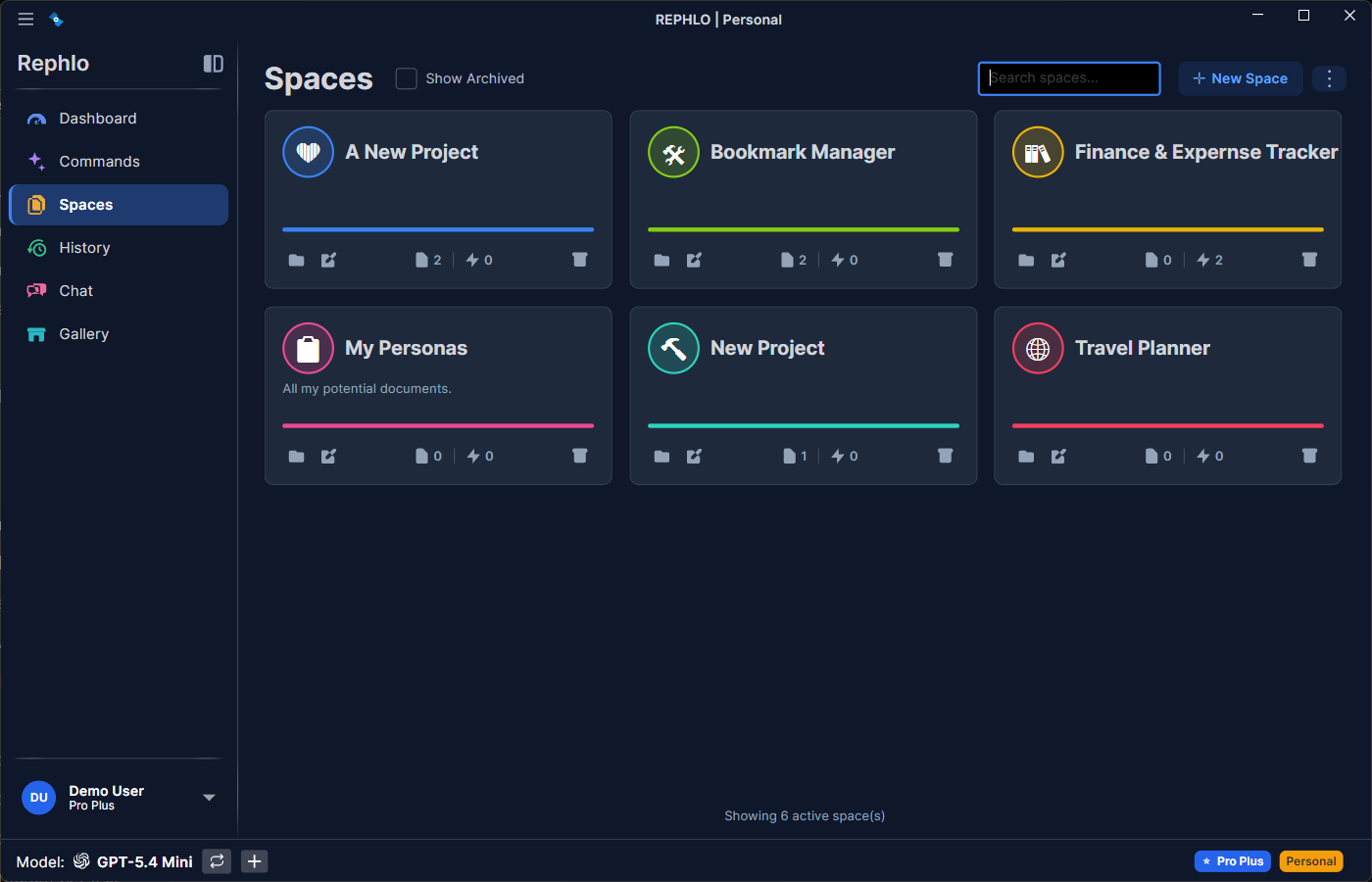
For the full lifecycle (uploading, indexing, editing, archiving), see Managing Spaces.
Next Concept: Learn about Providers — the engines powering the AI.