Privacy & Data
Rephlo is built to keep you in control of your data. The Privacy tab is where you decide how long history is kept, what leaves your device, and whether sensitive information is scrubbed before it ever reaches a cloud model.
Open it from Settings → Privacy.
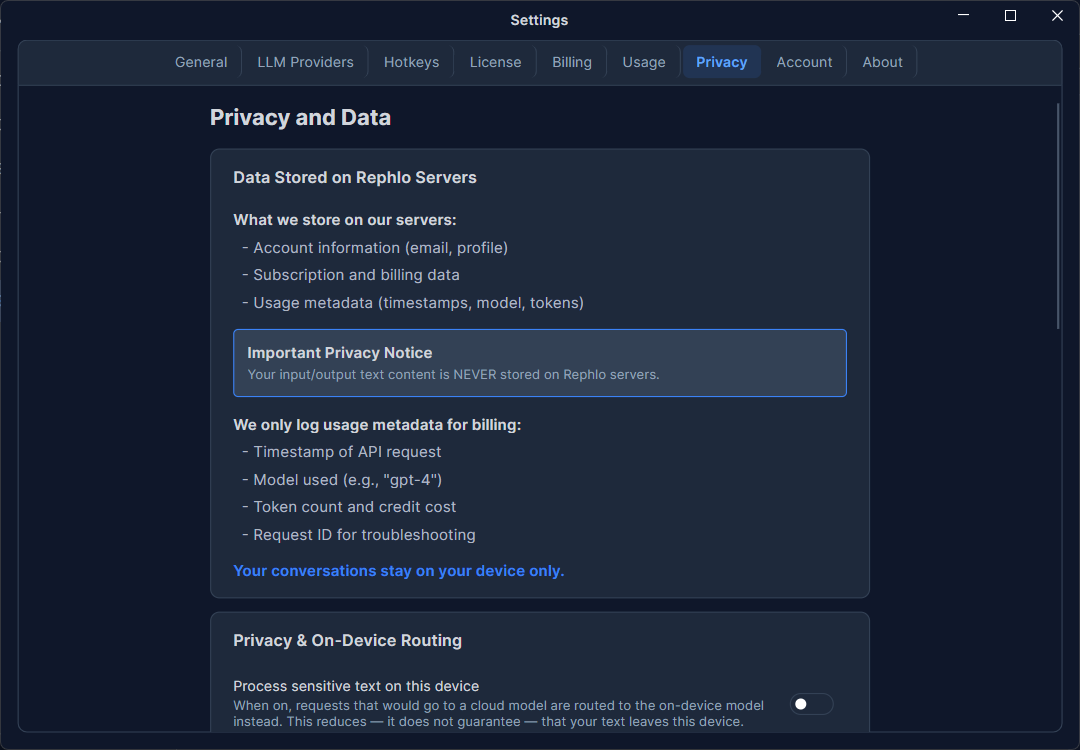
What stays on your device
By default, the heart of Rephlo lives on your machine, not in the cloud:
- Your commands, Spaces, templates, and history are stored in a local database.
- API keys and tokens are encrypted and never leave your device or appear in exports.
- Connector sign-in tokens stay on your device too — see What leaves your device on the Connectors page for the full breakdown.
- The Privacy tab shows your local data location so you always know where it lives.
What gets sent to a model depends on how you run it. With a cloud provider, your prompt (and any attached Space context) is sent to that provider to generate a response. With on-device models, nothing leaves your machine at all. The explanatory text in this tab adapts to the provider you're using — it discloses cloud processing whenever the request goes to a cloud provider (whether that's the managed service or your own BYOK keys), and confirms local-only processing only when you're using an on-device model.
History retention
Choose how long Rephlo keeps your execution history:
| Option | Effect |
|---|---|
| Forever | Keep all history until you clear it. |
| 90 Days | Auto-delete entries older than 90 days. |
| 30 Days | Auto-delete entries older than 30 days. |
| Immediate | Don't save history at all. |
Older entries are removed automatically based on your choice.
Export your data
Click Export Data to download a ZIP archive of your information for backup or portability. The export includes your commands, templates, Spaces, transaction/usage history, and (when signed in) your account profile. API keys and other encrypted secrets are deliberately excluded — the export is safe to store and share.
Clear all history
Clear All History permanently deletes every history entry. Because this can't be undone, Rephlo asks you to confirm first. It clears history only — your commands, Spaces, and providers are untouched.
Privacy routing (sensitive data)
Two toggles give you finer control over what reaches the cloud:
Force Local for Sensitive
When on, requests flagged as sensitive are handled by an on-device model so they never go to a cloud provider. Because this needs a local model to fall back to, the toggle is available only when:
- your plan allows on-device models (Pro and up), and
- you have at least one on-device model downloaded.
If your plan qualifies but no model is downloaded yet, Rephlo shows a nudge with a shortcut to the On-Device Models catalog. Turning this on pre-warms your local model so the first sensitive request isn't slow.
Scrub PII Before Cloud
When on, Rephlo removes detected personal information from a request before sending it to a cloud provider. This pairs with the redaction settings below.
This is the setting behind the redact locally, then use a cloud model approach — it lets you keep personal details on your machine while still sending the rest of the request to a large cloud model. See On-Device vs Cloud Models for when that trade-off makes sense.
On-device PII redaction
Redaction runs in two layers, and knowing which is which tells you what's actually being removed.
Layer 1 — pattern matching. Always available, no download. It catches information with a predictable shape: email, phone, SSN, and full credit card details (number, expiry, and security code).
Layer 2 — on-device AI. Turn on Also detect dates & addresses (on-device AI) to additionally catch information that has no fixed shape: name, date of birth, address, and other IDs (driver's license, passport, state/national ID, tax ID, bank account numbers). This uses a Named Entity Recognition model that is separate from your chat models and downloaded on demand (about 1.16 GB), with a progress bar you can cancel. It runs entirely on your device.
Each category can be toggled independently, so you can let one class of information through while redacting the rest.
Until the layer-2 model is downloaded, the categories that depend on it are shown as unavailable — you're never misled about what's actually being scrubbed. The status line above the categories tells you which layers are live.
A note on "other IDs". The model recognizes ID numbers by the words around them, so it may occasionally redact another ID-like number such as an order or reference number. Uncheck the category if it over-redacts your text.
Optionally enable Block send if redaction is uncertain — when the detector isn't confident it caught everything, Rephlo holds the request back rather than risk leaking data. This also governs attachments, below.
Attachments and images
Redaction covers files too, not just what you type:
- Documents are read and redacted on this device before being sent.
- Images are scanned with on-device OCR. If it finds personal information, the image is replaced by its redacted text; if it finds nothing to redact, the image is sent as-is.
OCR reads text, so it can't catch faces, signatures, or handwriting it fails to read. For images where that risk isn't acceptable, turn on Block send if redaction is uncertain and Rephlo will hold back images it can't read.
Reading scanned documents (OCR)
Read scanned documents on this device lets Rephlo extract text from scanned PDFs locally, so their contents can be searched and used as context. It's on by default; with it off, the file is sent straight to the AI model instead.
The first use downloads a text-recognition model of about 15 MB, once, in the background.
Scanned document language controls which recognizer is used. It follows your app language by default — change it only if you scan documents written in a different language, since recognizing Japanese or Korean pages with the wrong setting produces unusable text.
For the full picture of how attachments, Spaces, scanned documents, and images are each handled, see How Rephlo Reads Your Files.
Related pages
- How Rephlo Reads Your Files — attachments, Spaces, OCR, and images
- On-Device vs Cloud Models — combining local redaction with a large cloud model
- On-Device Models
- Basic Configuration
- Account